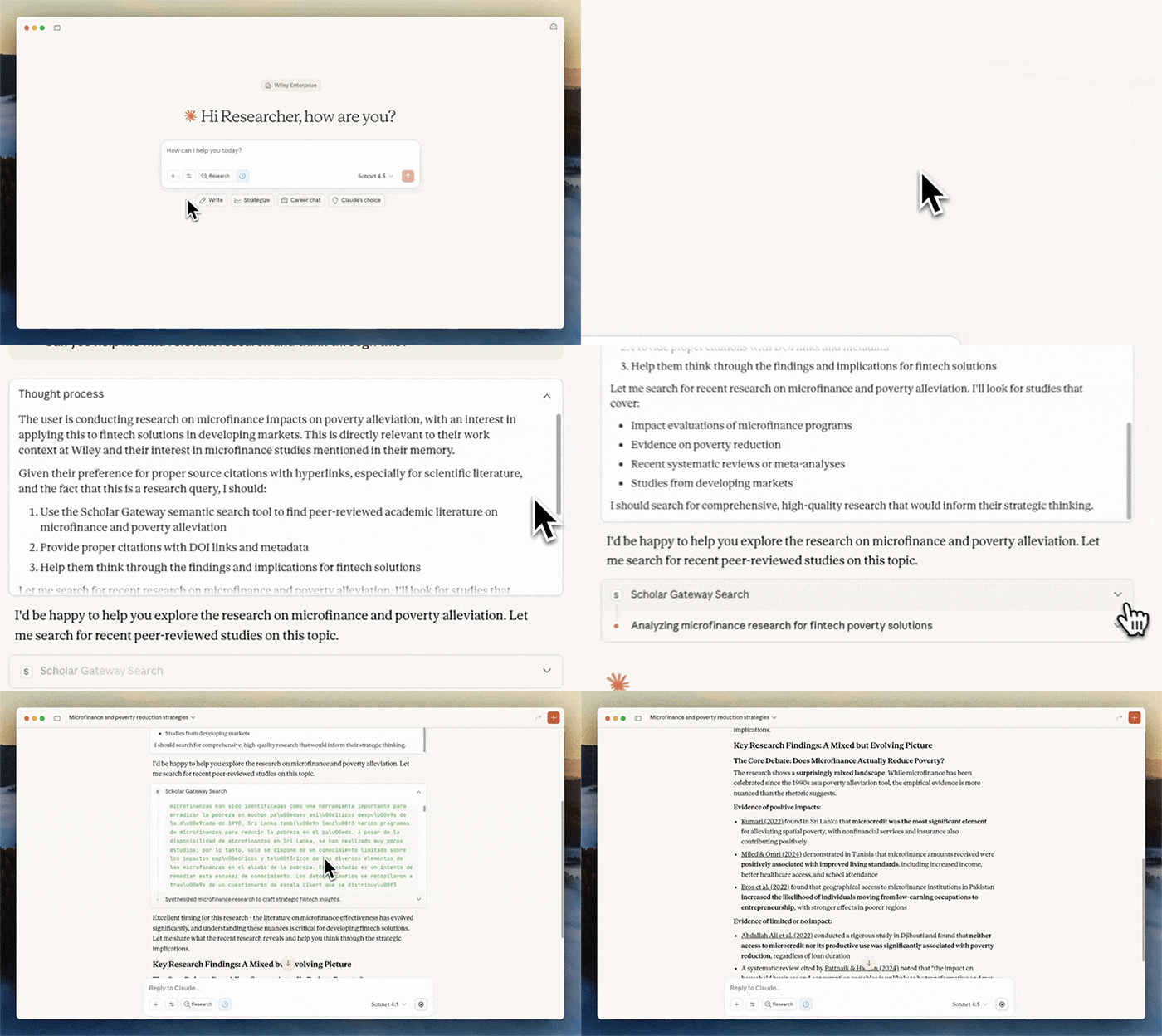
See how your research experience changes with
Scholar Gateway:
| Feature |
General Purpose LLMs |
LLM + Scholar Gateway |
| Source Quality |
Draw from general training data and knowledge up to their cutoff
date
|
Searches current peer-reviewed publications and academic resources
in real-time
|
| Citations and Verification |
May reference sources from memory but can't provide direct links or
guarantee accuracy
|
Provides working DOI links and citations you can immediately verify
and access
|
| Content Freshness |
Knowledge cutoffs mean missing recent research developments |
Accesses current publications, including recent studies and
findings
|
| Research Focus |
Optimized for general knowledge and conversation |
Specifically designed to surface relevant academic sources for
research questions
|
Example:
- Ask a general LLM about 'recent CRISPR developments' and you'll get
general knowledge.
- Ask through Scholar Gateway and you'll get specific recent studies with
citations you can click through to read the abstract or full text (depending on your
current access to journal and academic content).
Click the “Get started” button above and follow the guided process to register for the free trial. The Scholar Gateway connector is available in ChatGPT, Claude, and Le Chat. Getting started guides are available here.
Free trials are available through September 28, 2026. After that date, access will move to a free and paid tier. More details will be shared soon.
Scholar Gateway delivers trusted content from Wiley’s research portfolio: over eight million articles published in more than 2,000 journals. The collection spans disciplines from sciences and healthcare to business, law, and the humanities.
Scholar Gateway is available as a free trial through September 28, 2026. After that date, access will move to a free and paid tier. More details will be shared soon.
Scholar Gateway currently uses semantic search, which finds
content based on concepts and meaning rather than exact keyword matches. Traditional keyword
and phrase search capabilities will be added in future versions of the tool to enhance
search capabilities.
Instead of searching for exact phrases like "machine
learning AND bias" try prompting the AI by asking it a question, "what are the main
approaches to addressing bias in machine learning algorithms?"
Remember, you're using Scholar Gateway through an AI assistant that is trained for general purpose use. To get the most out of the Scholar Gateway connector, provide context to the LLM about who you are and what you're looking for.
Always include in your initial prompts that you're a researcher
seeking information with proper citations and DOIs.
We collect anonymized metadata such as query texts, usage frequency, query responses, response relevance, and response times to help us improve the service and understand how researchers use AI tools for their work.
We do not track your specific research questions, full conversation content, or any information that could identify your individual research topics or projects.
This anonymized data helps us understand research patterns, improve search results, and develop features that better serve the research community.
For free trials, we also collect participant email addresses specifically for the purpose of gathering feedback about Scholar Gateway.
Scholar Gateway has some current limitations we're actively working to improve:
-
Some queries may not automatically trigger Scholar Gateway - remember to specify that you want scholarly resources or to use Scholar Gateway when prompting your AI tool.
-
Content coverage currently derives from a set of articles (>8 million) from a selection of Wiley publications (>2,000).
-
Scholar Gateway is currently available through Claude, ChatGPT, and Le Chat AI platforms.
-
The current version focuses on semantic similarity search, which retrieves passages based on meaning rather than just matching keywords. This helps surface more contextually relevant results. We're planning to add additional search options as we expand functionality.
To leave feedback or get support visit: https://support.scholargateway.ai